
Turn videos into editable slide decks
Upload a lecture, webinar, or screen recording to capture key moments, remove duplicates, and create an editable slide deck.
Drag & drop your video here or
Smarter slide extraction from video
AI removes duplicate and transitional frames, while OCR rebuilds slide content into editable layouts you can review and export.
AI-powered slide selection
Automatically find the meaningful slide moments in your video without manually scrubbing through the timeline.
- Detects slide changes across lectures, webinars, and course videos
- Removes repeated slides and in-between transition frames
- Keeps only the clean captures that are useful for review or export


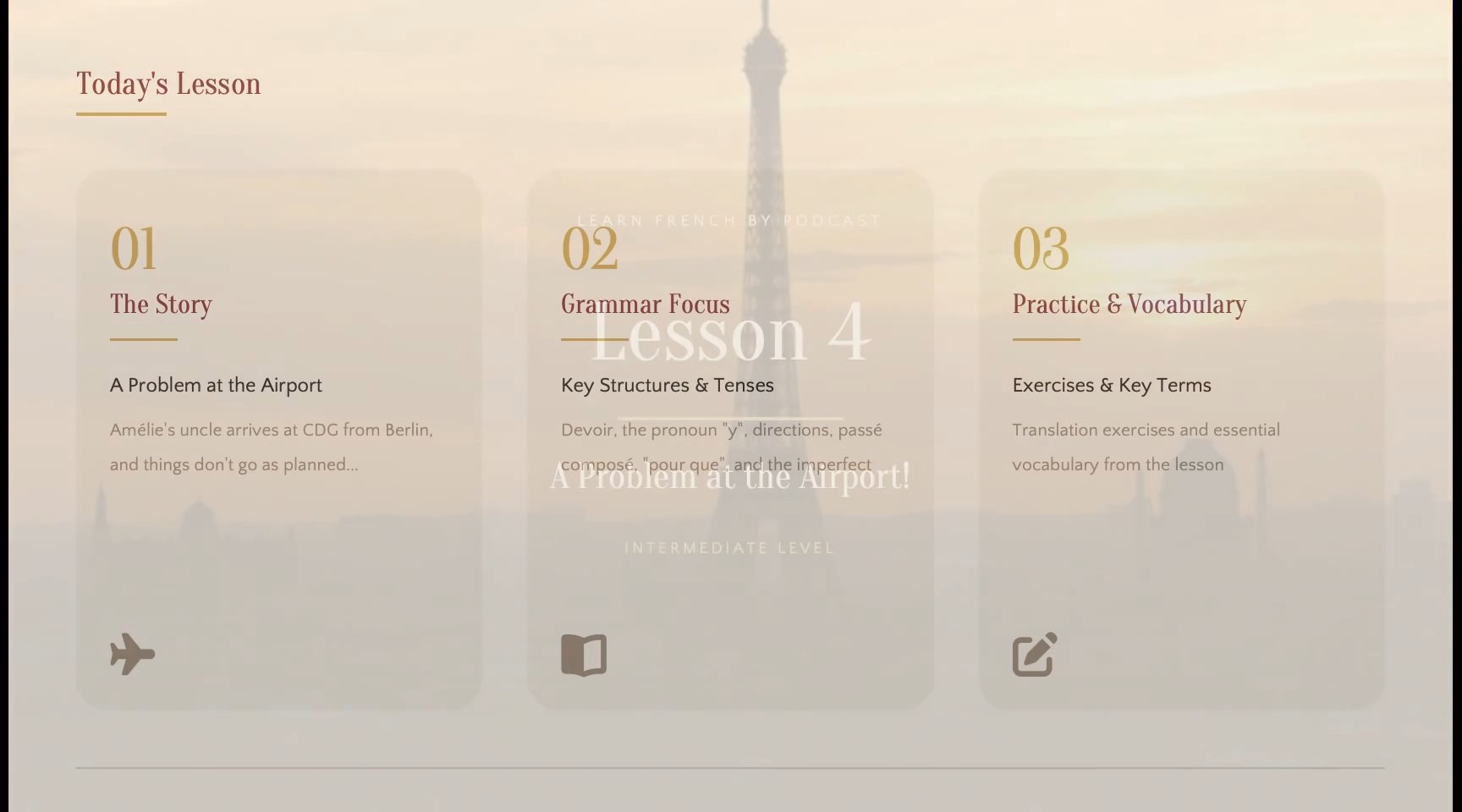
Review and refine before export
Stay in control of the final output by checking the extracted slides before you download anything.
- Preview all captured slides and remove anything you do not need
- Fix imperfect selections when the scene detection keeps the wrong frame
- Choose only the slides you want to include in the final PPTX export
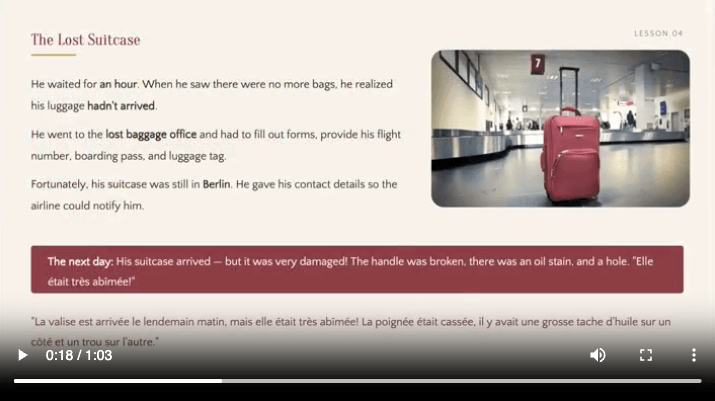
OCR-based editable slide rebuilding
Convert slide captures into editable PowerPoint files by recognizing the content inside each extracted image.
- Detects text, tables, and visual elements from each captured slide
- Rebuilds slide to closely match the original image structure and styling
- Exports editable PPTX files you can open and adjust in PowerPoint

How it works
From video to editable slides in four simple steps.
Upload your video
Upload any lecture, webinar, or meeting recording with presentation slides.
Detect and clean slides
AI detects slide changes and removes duplicate frames to keep only meaningful slides.
Rebuild slide content
OCR extracts text and visuals from each slide while keeping the original layout and structure intact.
Review and export
Preview the extracted slides, make edits if needed, and export them as editable PPTX, PDF, or image files.
Manual screenshots vs video to slides
A faster way to extract slide content from recorded lectures, webinars, and presentations.
| Feature | Manual Screenshots | Video to Slides |
|---|---|---|
| Time required | 1–2 hours | ~3 minutes |
| Duplicate removal | ||
| Slide change detection | ||
| OCR extraction | ||
| Editable export | ||
| Batch output | ||
| Workflow | Manual effort | Automated |
Turn long recordings into reusable slides
Extract slides, diagrams, and key visuals from recordings, then export them as clean materials for review, documentation, or follow-up.
Lecture recordings
Create clean slide captures from recorded classes, so students can review key concepts without searching through hours of video.
Online course videos
Save slides, diagrams, and lesson visuals as downloadable references learners can revisit after watching the course.
Webinar recordings
Collect webinar slides and reuse them for follow-up emails, recap documents, internal summaries, or marketing assets.
Product demo videos
Pull key product screens and workflow steps from demos for docs, tutorials, onboarding guides, or sales materials.
Training sessions
Turn recorded training into visual references that help teams revisit processes, tools, and instructions later.
Meeting recordings
Save slides, dashboards, and shared-screen moments from meetings so decisions and context are easier to document.
Loved by people who work with recorded presentations
See how Video to Slides helps users turn long videos into clean, reusable visual materials.
I used to pause course videos and take screenshots one by one. Video to Slides gives me the key visuals in minutes, ready to organize and share.

Maya Chen
Course creator
It makes reviewing recorded lectures much easier. I can quickly get the slides and diagrams instead of searching through a two-hour video.

Daniel Brooks
University student
We use it to turn training recordings into visual references for the team. It saves time and makes follow-up documentation much easier.

Sofia Ramirez
Training manager
After every webinar, I can pull out the presentation slides and reuse them for recap posts, emails, and internal summaries.

Ethan Miller
Webinar host
It is really helpful for product demo videos. I can capture important screens and workflows without manually scrubbing through the recording.

Nora Patel
Product marketer
For internal meetings and team updates, Video to Slides helps us save the slides, dashboards, and shared-screen moments that matter.

Lucas Bennett
Operations lead
Frequently asked questions
Common questions about extracting slides from videos.
- What is video to slides?
- Video to slides is a tool that extracts slide frames from videos that already contain presentation content, such as lectures, webinars, courses, or recorded meetings.
- How do I extract slides from a video?
- Upload a video file, and the system analyzes the footage, detects slide changes, removes duplicate frames, and prepares the extracted slides for download.
- Do I need a video that already contains slides?
- Yes. The tool is designed to extract existing slides or presentation frames from a video. It does not create a new presentation from unrelated footage.
- Does it extract every frame from the video?
- No. The tool detects slide changes and removes repeated visuals so the output stays clean.
- Can I remove slides I do not need?
- Yes. You can review the extracted slides before export and remove frames that are not useful.
- Is my uploaded video stored permanently?
- Uploaded videos are processed securely and removed after processing is completed.
- Can I edit the exported slides?
- Yes. PPTX exports can be opened and edited in PowerPoint or Google Slides.
- How long does processing take?
- Most videos are processed within a few minutes depending on length, resolution, and file size.
- Do I need to install anything?
- No installation is required. Upload and processing happen through the browser.
Extract slides from your video
Upload a video with slides and get structured slide output in minutes.